Canon S90 looks promising
Canon has just announced a duo of high-end compact digital cameras, the G11 and S90. The G11 is the successor to the highly acclaimed G10 not-quite-pocketable digicam which generated numerous rave reviews last year. Suffice to say that at ISO 80 to 200, shooting raw, the G10 produces outstanding results. The G11 adds a flip-out LCD (never been a big fan myself) and a new sensor with *lower* pixel count for improved low-light sensitivity. The trouble with the G10 is that, while compact by DSLR standards, it just isn't small enough to carry at all times. This is exactly where the S90 comes in - same sensor, even faster lens (f/2.0 at 28mm equiv.), and a new twist on the control dial scheme (if you'll excuse the bad pun), it could be just the right pocket camera.
Pixel densities compared - Canon G10, Canon G11, Nikon D90, Nikon D700. They are 34 MP/cm², 23 MP/cm², 3.3 MP/cm², and 1.4 MP/cm² respectively. Ok, a compact is never going to be anywhere near as light sensitive as even an APS-C DSLR, but f the new sensor delivers even a 1-stop improvement over the old one it would be great. Can't wait to get my hands on one!
Edit: I think Canon missed a trick with this one however. They should have left a small attachment point and released an optional external viewfinder, with brightlines for 28/35/50mm framing.
Google Chrome OS
I had to do a double check if it's not April 1st. Why Chrome OS? And why not Android?
Firstly, this does not sound like another Linux distro. Yes, it might run on top of a Linux kernel and borrow some UI code, but you can think of this as a web browser that runs on the bare metal. What use is such a thing? (ASUS is already doing something similar by embedding a stripped down Linux in their motherboards. It boots in a couple of seconds and lets you browse the web and check your email.)
Google makes money off people using the Internet. More than that, they especially benefit from stuff that runs on open platforms - HTML and JavaScript as opposed to Flash and Silverlight. Hence the massive investment in technologies such as GWT and Gears that enable full-blown interactive applications inside a browser using widely understood open standards. The more people publishing useful stuff on the web, the more Google stands to benefit. The more users on the web, the more Google stands to benefit.
The Chrome OS could work quite well on a stripped down netbook (even lower spec than what we call a netbook today), touch-screen tablets, or minimalist desktop computers with specs along the lines of netbooks.
Given the recent popularity of netbooks, and Microsoft starting to push Windows 7 to OEMs instead of the ancient XP, maybe Google is hoping that some of them will jump ship and give Linux a second chance. What's going to be different this time? If you don't pretend it's a full-blown computer but rather a web-only "device", it's easier to sell it to people who already have several computers in their household.
The ultra low hardware requirements mean that the machine itself should be cheaper to produce too, so once again adding to the "it's a web appliance, not a computer" selling point. Lastly, this must have been fairly easy to do from a technical standpoint. It's simply repackaging a bunch of existing code into something usable so not a hugely risky project for Google.
If some Taiwanese manufacturer jumps on board and produces anything even remotely successful based on this software, it only further entrenches the Web as an application platform. And that, I think, is exactly what Google is hoping for. It's very much the same thinking as that behind Android, just aimed at a different segment of the hardware market.
UPDATE: Further reading - coverage from around the web:
Kgalagadi Transfrontier Park
Small slide show from our recent adventures in Botswana 
You can also view it large on Flickr.
Disable Aero Shake in Windows 7
Of all the new UI features, Aero Shake is arguably the most gimmicky. I find that I trigger it quite often by accident by moving a window very quickly to peek at something else behind it. If you have the same issue, How-to Geek details a registry fix on disabling Aero Shake.
Vista and file deletion
I've been running Windows Vista for about a year and a half (my desktop hasn't been reinstalled once), and find it to be great. But every once in a while I still encounter the ridiculously slow performance issue where file operations take forever - even simply browsing into a folder with Explorer. Here is an example of a folder deletion of a small source project with a bunch of Git history in it that Windows has been busy deleting for a good half an hour now:

A whole bunch of fixes were supposed to have been included in SP1 but it seems like some problems still remain 
UPDATE: it's something to do with the folder being shared - and unsharing takes extremely long, while keeping the hard drive very busy. Possibly some kind of dodgy recursive file system metadata update? Deleting from the command line with "rmdir /s" solved the problem in the end.
Annotation-based dispatch for Spring ApplicationEvents
I created a little extension that allows you to dispatch Spring application context events in a clean and type-safe way to POJO beans. Instead of implementing the ApplicationListener interface, one can simply create a handler as follows:
public class EventListener {
    @EventHandler
    public void onAppEvent(MyCustomEvent event) {
        // ...
    }
}
Update on 2011/05/07.
The code was moved to Github.
Please also see the Spring Custom Annotations project on Google Code.
Official: Bulgarians are slackers
Well, either that, or have very weak immune systems on the whole. A survey of companies in Europe and America found that workers in Bulgaria take on average roughly twice as many days off as sick leave every year compared to workers from the next two highest-scoring countries, Portugal and the Czech Republic (see chart). I wonder if that correlates in any way to workers feeling of being fairly compensated for their time?
Ars Technica compares Windows 7′s new taskbar to the OS X Dock
I always thought the OS X Dock a great app until I actually had to use it for a while. Then I discovered that it wasn't all that great at managing multiple minimized windows. At least it's slicker than anything Windows has  (Expose didn't help me much either, oddly enough.)
I haven't been all that impressed with the Windows 7 taskbar so far either but it's great that Microsoft is trying to improve it. That's not to say that I don't like it - but until more apps start integrating themselves better into it, I don't think we'll see its full potential.
Quick and easy image resizing with Java ImageIO
There are quite a lot of examples of image resizing floating around the web but they all seem to access all sort of hidden features and classes deep inside the JDK to achieve their goal. Here is the most straightforward method that I could come up with - all in all just 5 lines of code. It requires ImageIO and requires Java 1.4 or later to run. If the ImageIO.write() method accepted plain ol' AWT Image arguments it could have been reduced further still to three lines, but you have to give it a BufferedImage instance as input.
The snippet below assumes that there exist the following variables (coloured green in the code):
- an input stream to read from
- a desired width variable (specifying the height as -1 tells the toolkit to preserve the original aspect ratio)
- and an output stream to write the encoded image to.
Sample code:
import java.awt.Image;
import java.awt.image.BufferedImage;
import javax.imageio.ImageIO;
// ...

BufferedImage sourceImage = ImageIO.read(inputStream);
Image thumbnail = sourceImage.getScaledInstance(width, -1, Image.SCALE_SMOOTH);
BufferedImage bufferedThumbnail = new BufferedImage(thumbnail.getWidth(null),
                                                    thumbnail.getHeight(null),
                                                    BufferedImage.TYPE_INT_RGB);
bufferedThumbnail.getGraphics().drawImage(thumbnail, 0, 0, null);
ImageIO.write(bufferedThumbnail, "jpeg", outputStream);
From the Christmas Decorations Gone Wrong Dept.
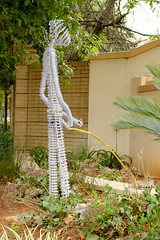
Sandton, circa 2008. Surely someone must have seen this coming?